![logo AKTEK gray.png]](https://help.aktek.io/hs-fs/hubfs/logo%20AKTEK%20gray.png?height=40&name=logo%20AKTEK%20gray.png)
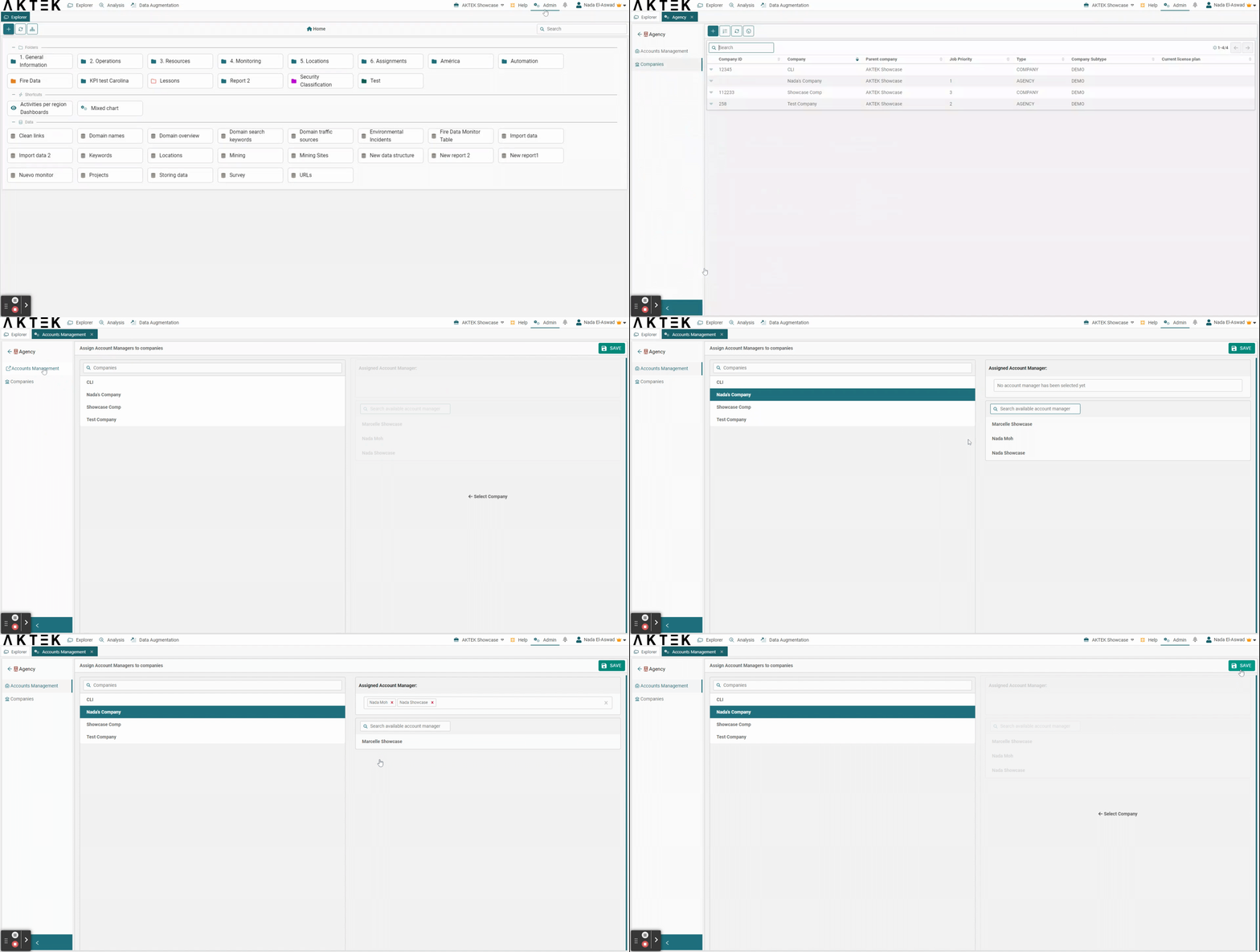
Go to Admin > Agency > Accounts Management
- To do this, please select this option from the Admin section of your main company/agency. This will prevent you from having to create the same user in different child companies.
- Once you are there, you will see each child company listed on the left side of the panel, click on each company to add or remove any account managers.
- Once your account managers are set up, click Save.